





 Activities
 How to Videos
 Products
 Contests & Events
 Freebies
 Live TV
 Blogs
Blogs




Father’s Day Greeting Card Craft with Photo | Easy DIY for Kids - Activity Single - FeviCreate
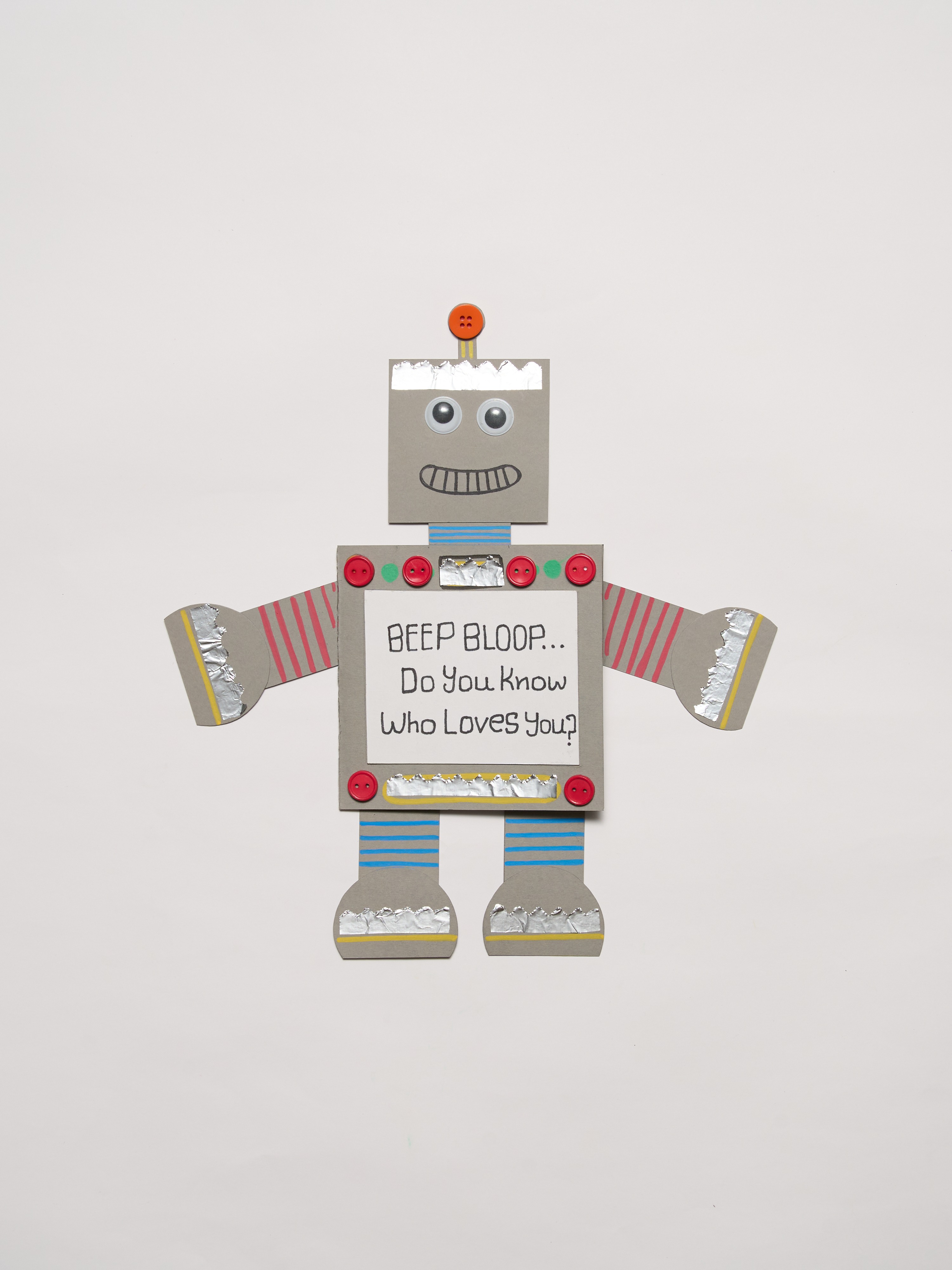
Father’s Day Greeting Card
This project guides children in creating a unique, robot-themed greeting card for Father's Day. They will learn basic crafting skills such as cutting, pasting, and decorating, resulting in a personalized card with a photo inside.
Paper Crafting Celebration 30 to 60 mins 9 to 12 years Art & Craft Class 5


Steps to Create this Activity
Login to see steps

Create the Robot's Base
Take a grey coloured thick card paper to make the body of the Robot.

Draw The Body
Take a pencil and start drawing the different parts of your robot directly onto the painted sheet. You can make them square, round, or any other shape you like!

Cut Out the Pieces
Carefully use your scissors to cut out all the robot parts you have drawn. You should now have a collection of individual pieces: a head, a body, arms, and legs.

Assemble Your Robot
Apply Fevicol MR to the back of the head, arms, and legs, and stick them onto the main body piece. Leave a small part of the body unglued to create a flap or window that can be opened.

Decorate the Character
Use Fevicryl Acrylic Markers to paint fun designs on the robot's body. To give your robot a friendly face, apply Fevicol MR to the back of the googly eyes and stick them onto the head.

Add a Personal Touch
Choose a special photograph of you and your dad and carefully stick it on the inside of the card, right behind the window.

Write Your Message
On the front of the card, next to the window, use the Fevicryl Acrylic Markers to write your Father's Day greeting.

Final Look
Your amazing robot greeting card is now complete!
Steps to Create this Activity
Login to see steps
Create the Robot's Base
Take a grey coloured thick card paper to make the body of the Robot.
Draw The Body
Take a pencil and start drawing the different parts of your robot directly onto the painted sheet. You can make them square, round, or any other shape you like!
Cut Out the Pieces
Carefully use your scissors to cut out all the robot parts you have drawn. You should now have a collection of individual pieces: a head, a body, arms, and legs.
Assemble Your Robot
Apply Fevicol MR to the back of the head, arms, and legs, and stick them onto the main body piece. Leave a small part of the body unglued to create a flap or window that can be opened.
Decorate the Character
Use Fevicryl Acrylic Markers to paint fun designs on the robot's body. To give your robot a friendly face, apply Fevicol MR to the back of the googly eyes and stick them onto the head.
Add a Personal Touch
Choose a special photograph of you and your dad and carefully stick it on the inside of the card, right behind the window.
Write Your Message
On the front of the card, next to the window, use the Fevicryl Acrylic Markers to write your Father's Day greeting.
Final Look
Your amazing robot greeting card is now complete!


